 OrcStrator

Key takeaways
- Your Claude plan has a session limit and a weekly limit, and Claude Code spends both.
- Long chats and many agents spend the limit faster than short, focused ones.
- Prompt caching and compaction make the same work cost less of the limit.
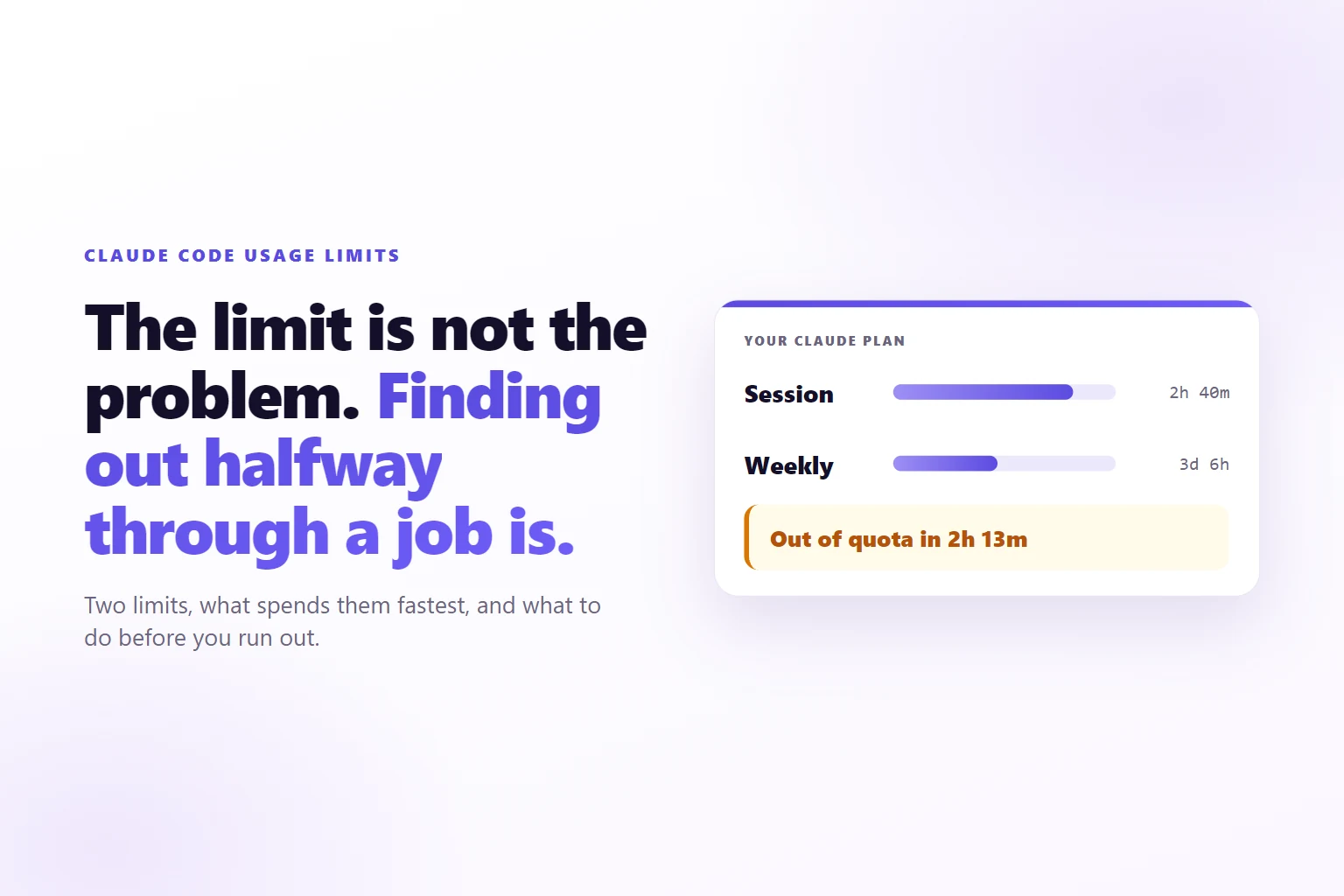
- A warning hours before you run out beats finding out halfway through a job.
A Claude Code usage limit is the amount of work your Claude plan allows in a rolling session and in a week. Every message, file read and agent step counts against it, and it resets on a schedule shown in your account.
You started a big job on Monday morning: rewrite ten product pages, then tidy the image folder. By lunch Claude Code stopped mid-page with a message that you had hit your limit, and the reset was hours away. You did not do anything unusual. You did what the tool is for.
The limit was not the surprise. Not knowing how close you were was. This page explains the two limits on your plan, what spends them fastest, and the habits that make the same plan last longer, in plain words. No plan prices and no message counts, because those change; Anthropic’s pages have the current figures.
What is a Claude Code usage limit?
It is the ceiling on how much work your Claude plan does for you in a stretch of time. Claude Code is Anthropic’s AI agent: it reads files, changes them and keeps going through a task. Each step it takes is a request to Claude, and each request uses part of your allowance.
The allowance is not counted in messages you type. It is counted in tokens, the small pieces of text a model reads and writes; a token is roughly part of a word. A one-line request can cost a lot of tokens if Claude Code has to read twenty files to answer it.
Anthropic’s support page on using Claude Code with your Claude plan says Claude chat and Claude Code draw from the same usage limits. So an afternoon in the chat app and an afternoon of Claude Code come out of the same pot.
Anthropic’s usage limit best practices list what counts against the limit: message length, attachment size, how long the current conversation is, tool use such as web search, which model you pick, the effort level, and multi-step tasks such as running code or creating files. Claude Code does most of those on every job, which is why a working day in Claude Code can use far more than a day of chat.
Session limit and weekly limit: what is the difference?
Two windows, measured separately, both spent by the same work.
The session limit covers a five-hour window. It stops a burst: a morning of heavy work can use it up, and it comes back when the window resets. Anthropic’s usage limit page says your Claude settings, under Usage, show it as a progress bar on Pro, Max, Ultra, Team and seat-based Enterprise plans. The same page notes that verified Ultra accounts do not see a five-hour session limit.
The weekly limit covers the week. It stops a week of steady heavy use, and it does not care how evenly you spread it. You can stay inside every session and still run out by Thursday. The same page says the weekly limit applies across all models, with a separate weekly figure for Fable if your plan includes it.
The practical difference is how long you wait. Hit the session limit and you wait hours. Hit the weekly limit and you can wait days. That is why the weekly bar is the one to watch on a busy week, even though the session bar moves faster.
Neither bar is a meter of messages. Ten short questions in a fresh chat can cost less than one request in a chat that has been open since Monday. The next section explains why.
What spends the limit fastest?
Ranked by how much they usually cost, from the work that drains a plan to the work that barely moves it.
- Long chats. Claude Code sends your whole conversation with every request, and every time it uses a tool it sends another request with the results. Anthropic’s Claude Code cost management documentation puts it plainly: a one-line question in a session that has been open all day still draws usage for the whole conversation.
- Many agents at once. Each working agent has its own conversation and its own requests. More agents working spend the allowance faster, roughly in proportion to how many there are. The same documentation says token use for a team of agents is roughly proportional to its size.
- Coming back after a break. A chat left alone loses its cache, and the first message after the break pays for the full history again. More on that in the caching section.
- The biggest model for everything. Larger models spend more of the allowance for the same job. Anthropic’s documentation suggests a smaller model for routine helper work.
- Reading everything. A vague request such as “improve this site” makes Claude Code open file after file. A specific one, such as “fix the price on the cakes page”, reads one.
- Tools loaded but not used. Connected tools add their names and instructions to the conversation. Small, but it repeats.
Notice what is not on the list: how hard the question is. A hard question in a short chat is cheap. An easy question in a huge chat is not. If you remember one thing from this page, make it that.
The second item is the one that surprises people who run agents side by side. More agents finish more work per hour, and they reach the end of the same allowance sooner.
How prompt caching saves your limit
Prompt caching means Claude keeps the start of a conversation ready, so the next message does not pay full price to read it again. Anthropic’s prompt caching documentation says a read from the cache is priced at a tenth of normal input or less, depending on the model. Claude Code uses caching on its own; you do not switch it on.
The catch is that a cache expires. On Anthropic’s API the default lifetime is five minutes, refreshed every time the cache is used, and there is a one-hour option that costs more to write. Leave a chat longer than its cache lifetime and Claude forgets the prepared copy. Your next message then reprocesses the entire conversation at full rate. Anthropic’s usage limit page says the same thing about projects in the chat app: after a long break, the first message counts that content in full again.
So caching rewards one habit: keep working in a chat while it is warm, and do not reopen a giant chat after lunch for a small question. Start a fresh one instead.
In OrcStrator, chats are kept warm for an hour by default, so stepping away for a coffee does not make Claude reread the whole conversation. The Balanced preset in Settings, under Chats & models, turns on the one-hour cache; the Save tokens preset runs Sonnet at low effort with an earlier compaction point. The Usage page shows how much of your work came from the cache, so you can see whether the habit is working.
How compaction keeps long chats cheap
Compaction replaces the old part of a conversation with a short summary. The chat keeps the decisions, the facts and the open questions, and drops the word-for-word history. Every message after that carries the summary, not the whole transcript.
Claude Code compacts on its own when a conversation approaches the size of its context window, the amount of text a model can hold at once. You can also ask for it. Anthropic’s documentation adds one warning worth knowing: compacting reads the conversation it summarises, so compaction of a large chat is itself a large request. Starting a fresh chat costs nothing.
OrcStrator adds two things here. First, it writes a line into the chat each time Claude Code compacts, such as “Context compacted. Was N tokens.”, so you can see it happened. Second, Auto Compact for idle chats: a large chat left unused is compacted a few minutes before Claude would forget it, while the cache is still warm, so the summary is cheap to make and the next message starts small. The chat then shows a line saying roughly how much that saved on the next message.
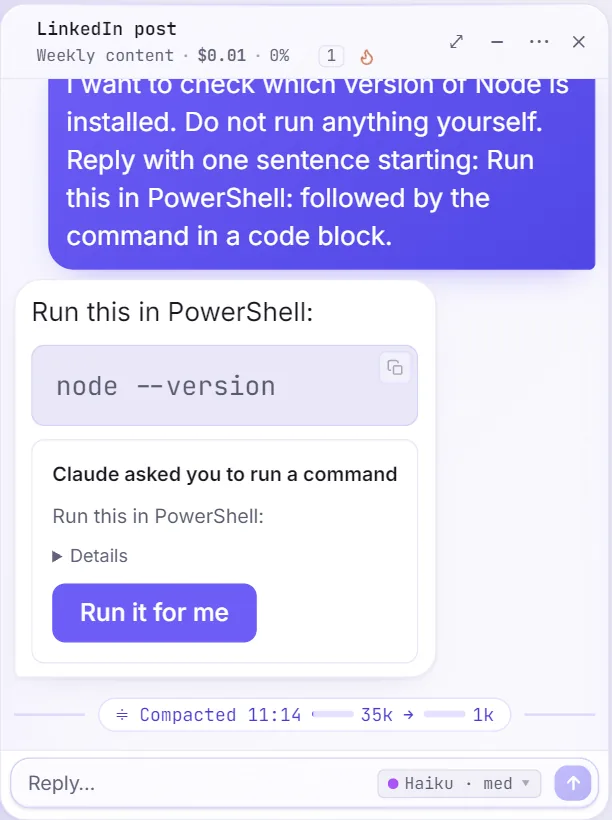
You can also set how full a chat gets before it compacts, in Settings under Auto-Compact Window. Smaller means cheaper messages and a summary sooner; larger keeps more detail in view.
Why helpers on a smaller model help
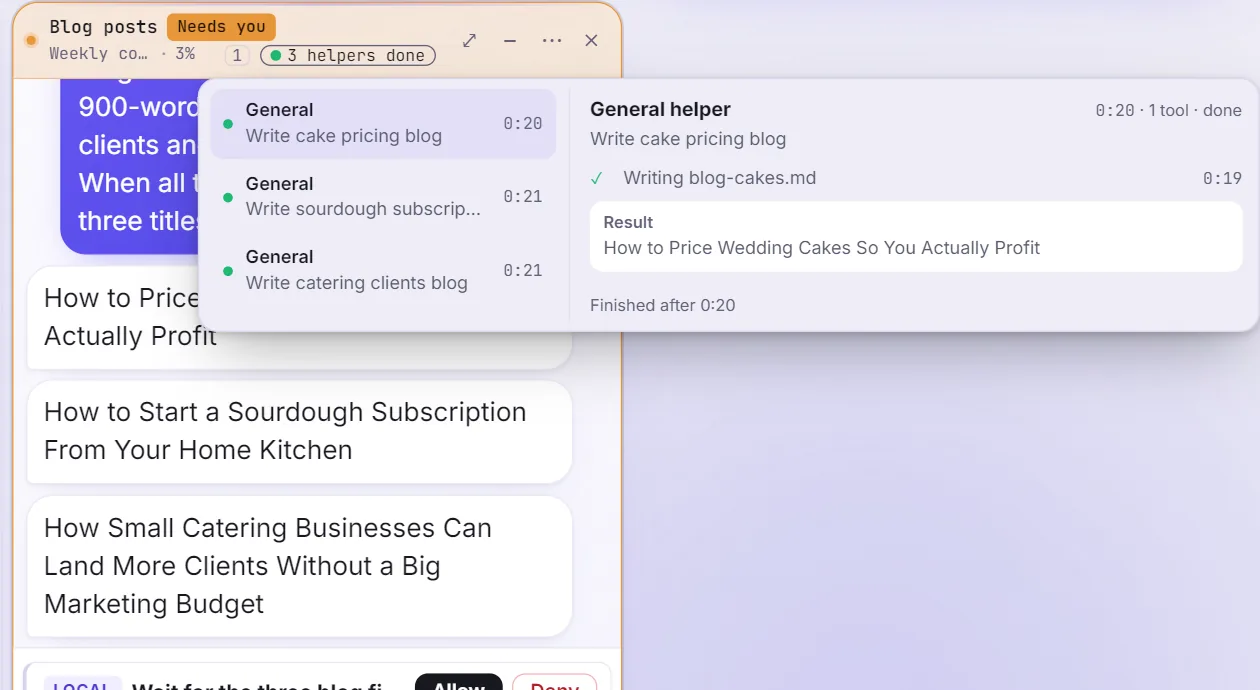
Much of what an agent does is not the hard part. It searches, it opens files, it reads logs, it checks work. Claude Code can hand those jobs to helpers, called subagents, so the main conversation only gets the short result back.
Anthropic’s documentation is clear that a subagent’s requests still draw on your usage. The saving comes from two places. The main chat stays smaller, because the pages of search results stay in the helper’s conversation. And the helper can run on a smaller, cheaper model, which spends less for the same reading.
In OrcStrator, helpers run on Sonnet 5.5 by default rather than the chat’s own model. Settings, under Chats & models, changes that for every chat: Sonnet 5.5, Haiku 5.5, Opus 5.5, or Same as the chat. Each chat can also pick its own from its model menu.
Setups go one step further. A setup decides which tools, skills and plugins a chat loads, so a chat that writes captions does not carry the tools for your accounting files. Fewer tools means less text on every request.
How to see how much is left
Three places, from the most effort to the least.
Your Claude account. On claude.ai, Settings, then Usage, shows the session and weekly bars and when each resets. Correct, and in a browser tab you have to keep checking.
Inside Claude Code. The /usage command shows your plan’s usage bars and, on paid plans, a breakdown of what used the allowance with suggested changes. Anthropic’s documentation describes rows such as trimming a large instruction file or compacting before you step away. Useful, and only when you think to ask.
On screen, all the time. OrcStrator keeps the session and weekly bars at the top of the sidebar, with the reset time beside each, and as rings when the sidebar is collapsed. Typing /usage in any chat opens the Claude account window with the same figures. The useful part is the pace line: when your recent usage says you will run out within six hours, and before the window resets, a line appears such as “Out of quota in 2h 13m”. It is worked out from the last hour of real readings. When there are too few readings to tell, it shows nothing rather than a guess.

A warning two hours out is a decision you can make. A stop halfway through a page is a mess you clean up. The habits and the tools above exist to turn the second into the first; how to read the limit bars on screen shows them in the app.
What to do when you run out
First, nothing is lost. Claude Code stops taking new work; the files it already changed stay changed and the chat stays where it was. Then you have four options.
Wait. The message names when the window resets. Anthropic’s documentation says newer versions of Claude Code can wait and continue the interrupted task after the reset. In OrcStrator, a chat that stopped on the limit shows “Claude’s limit is reached. Resumes by itself at” with the time, a countdown and Cancel. A minute after the reset it sends that chat’s last message again, oldest chat first, and leaves a note saying so. That is on by default, under Settings, Limits & spending.
Pay for usage credits. Anthropic offers usage credits on paid plans, which let you keep working past the limit at a cost you can cap. Switching to another model does not help with the session or weekly limit, which covers all models; only a limit for one model family, such as Opus, can be worked around that way.
Switch to another account you own. If you have a second Claude plan of your own, you can sign in to it. OrcStrator’s account switcher does this safely: working chats finish or stop first, large chats are compacted on the old account, and the chats that were working pick up where they left off on the new one. It never adds quota; it moves you to a plan you already pay for.
Carry on with a smaller model on your own API key. An API key is a password that bills Anthropic usage to your own card, per use. OrcStrator can switch chats to Haiku 5.5 or Sonnet 5.5 on your key when the plan runs out, with a monthly spend cap you set, and back again when the quota resets. It is off by default, and nothing is charged until you add a key and switch it on.
When a bigger plan is not the answer
A bigger plan is the right move when you work lean and still run out. It is the wrong move when the limit is going on waste, because a bigger plan buys more waste.
Check these before upgrading:
- One chat for everything. A chat that has done ten jobs since Monday charges every new question for all ten. A fresh chat per job is the cheapest habit there is.
- Cold restarts. Coming back to a big chat after an hour pays for the whole history. Ask for a summary before you leave, or start fresh.
- The largest model on small jobs. Captions, renames and lookups do not need the top model. OrcStrator’s Save tokens preset runs Sonnet at low effort with an earlier compaction point and fewer chats at once.
- Too many agents on low-value work. Five agents on five small jobs reach the limit sooner than one agent on the job that matters. Agents are a speed tool, and speed is paid for in quota. Running several agents at once covers how to choose.
- Routines all at the same hour. Scheduled jobs spend the same plan as your chats. When you start automating tasks with Claude on a schedule, spread the heavy ones away from your busiest hours.
- Tools nobody uses. Every connected tool adds its name and instructions to the conversation. Load what the job needs.
Run a week with those habits and look at the weekly bar. If it still hits the ceiling, the plan is too small for the work, and Anthropic’s plan page has the current options. Claude Pro against Max for Claude Code compares them in plain words.
Frequently Asked Questions
What happens when I hit my Claude Code usage limit?
Claude Code stops taking new work until the session or weekly window resets, and nothing already done is lost. You can wait, turn on usage credits, switch to another account you own, or, in OrcStrator, let chats carry on with a smaller model on your own API key. Stopped chats in OrcStrator pick up by themselves after the reset.
When does the Claude Code limit reset?
The session limit runs on a five-hour window and the weekly limit over a week, and your Claude account shows when each resets. OrcStrator shows the reset time next to its usage bars and, when you are on pace to run out first, a line such as Out of quota in 2h 13m.
Does a longer chat use more of my limit?
Yes. Every new message sends the earlier conversation again, so a long chat costs more per message unless it is cached or compacted. Caching makes the repeat cheap, and compaction replaces old messages with a short summary. Starting a fresh chat for a new job resets the cost to almost nothing.
Do more agents use more of the limit?
Yes. Every working agent draws on the same session and weekly allowance, so five agents spend it several times as fast as one, roughly in proportion to how many are working. That is a trade of time for quota, not a free speed-up. Watch the usage bars while several agents work, and pause the least important ones first.
Can I get more usage without upgrading my plan?
Often, yes. Waste is the cheapest saving: avoid giant chats, let caching work, send searching and reading to smaller helper models, and start a fresh chat for each new job. OrcStrator does several of these in the background. If you still run out on lean habits, a larger Claude plan or a second plan you own is the next step.
See your limit while you work
OrcStrator runs the real Claude Code on your own Claude plan and keeps your session and weekly limits on screen, with a warning before you run out. Free plan, no card, Windows 10 and 11. OrcStrator is not affiliated with Anthropic.
Download OrcStrator